Hacker Newsnew | past | comments | ask | show | jobs | submitlogin

I've never used emacs- currently using XCode to do C++ development. While I find the demonstrations interesting, what would emacs buy me as a C++ developer?


Emacs is not only an editor, but a "computing environment" that can be readily customized and extended using the Emacs Lisp (elisp) language. In fact, much of Emacs itself is built with elisp. Some developers find that kind of flexibility in their tooling to be highly compelling, others not so much.

I'm not a C++ programmer, but I turned up the following guide with a Google search, which might you might find interesting:

C/C++ Development Environment for Emacs

http://tuhdo.github.io/c-ide.html


Maybe not much. When working with C++ - at least in my experience - you get more use out of code navigation and code completion (two things that emacs supports rather averagely, even after customization) than you do out of text editing functionality (for which emacs is excellent).


I don't know that I agree with this. I'm rewriting for the fourth time a blog post I wrote on auditing C/C++ code using Emacs. The combination of Helm, cscope/ascope, hi-lock, ectags, Projectile, and incremental recursive grep is pretty hard to beat.

I use unobtrusive dabbrev-style completion --- I don't want popup menus with completion possibilities drawn from documentation, because Dash.app does a better job of that and is shared by all applications.

I think Emacs does an at least adequate job at all the core functions of Xcode, but does some things Xcode can't do at all.

(It's been a few years since I've written more than a couple thousands lines in Xcode, though.)


Don't worry, I'm not saying Xcode isn't awful. I've just found that code navigation saves me more time than having a fancy text editor does. And even after putting some effort in, the results with emacs just aren't as good (particularly compared to effort expended) as what you get from Xcode and Visual Studio.

Which is a shame, because Xcode's text editor is awful (or did I mention that already??), and Visual Studio's is crashingly average. I'd much rather use emacs.

(I use company-mode, with the clang backend, and it's OK. For code navigation, currently nothing, but rtags (https://github.com/Andersbakken/rtags) is on my todo list. The README is worth a skim - it has a cute way of grabbing the list of files you're using.)


Link to the post please? It should make for interesting reading.


It's still sitting in Draftin.com, waiting for me to like it enough.


Instead of cscope/ctages, have you tried GNU GLOBAL? I've taken my first steps with it and the ggtags mode. So far, I am finding it to be drastically better than ctags.

Have I just never configured ctags correctly?


I didn't even know about it. This looks awesome. Highly recommend: wrap GNU GLOBAL in a web app (scrape its output, stick it in a database). We did that at Matasano (with dumber tools than GLOBAL) and not only was it incredibly useful, but shockingly, shockingly easy.


I'm not sure what you are referring to for the web app. Are you just wanting to skin what it puts as a hypertext file already?[1]

[1] http://www.tamacom.com/tour/kernel/linux/


I didn't know GLOBAL had a web interface, but we generally want search, highlight, bookmarks, and notes, in addition to clickable cross-reference popups. We used ectags and Pygments.


Makes sense, I think. As I said earlier, I am new to GLOBAL entirely. Something I found as I was building up my new emacs setup at work. So far, I've been impressed. Not sure I'll ever care for the web interface, but the ggtags mode has been a dream. And I've really only used find-references and find-definition.


I've been using GLOBAL with a slightly tweaked gtags.el for almost 5 years now. It's definitely served me well.


Do you run into any practical size limitations?


It works well for project like Linux kernel. Jump/listing references happens instantly.


Not really. With Emacs, it makes navigating a project like Linux kernel seems a small project. You can see the demos in my other answer here: https://news.ycombinator.com/item?id=8616737

Emacs allows you to jump to anything instantly, even with source tree like Clang or Linux.


Possibly not much. I've never used XCode for C++ development but I imagine it has pretty nifty Clang integration, given Apple's investment in Clang. Anyone who suggests using ctags, GNU Global, gtags, CEDET's own parser (implemented in elisp!), etc. for C++ navigation is basically saying "use a C parser to parse C++ code", which works well enough if you're writing 1990s style C++, I suppose. There are projects out there to integrate with Clang (such as rtags mentioned by another poster) but it will require hours/days of setup & frustration, and the result won't be as good as a dedicated C++ ide.

BTW I say this as an emacs fan and the author of http://david.rothlis.net/emacs/howtolearn.html and https://github.com/drothlis/clang-ctags/

Where emacs shines (for me, at least) is when you spend a lot of time in different languages. Maybe you spend 50% of the time in C++, but the other 50% in shell, makefiles, python, etc. -- and the benefit of better C++ code navigation begins to seem like a micro-optimisation that isn't worth the tradeoff compared to Emacs's support for navigation, version control, compilation, linting, grepping, etc etc, all of which are consistent across all languages. Not to mention Emacs's great support for text manipulation in general.

Also Emacs seems to me the best bet for the "one true editor" you'll still be using in 20 years (by which time hopefully few of us will still be using C++).

I'll also point out that on OS X, Emacs has a lower learning curve than any other OS, at least as far as the basic keystrokes: OS X's Command key still works for the usual shortcuts (cut, copy, paste, save, open, quit, undo) while the quirky emacs bindings are on the Control and Option keys. This doesn't make it any easier to set up a C++ navigation solution, of course.


I agree with everything you said about other aspects of Emacs.

You are right that supports for C++ is not as rich, since it is such a complicated language. But for small C++ projects and large C projects, it is pretty much usable, especially just for code navigation. At least it's better than using Grep and better than nothing at all. The currently available tools are perfectly usable for those who only write C.

For code completion, there's no pretty solution, but at least simple solution like company-clang which uses clang to get completion candidates from system include paths is pretty usable.


On the good side, once you are used to the keys, the text editing part is pretty efficient. Also, you have access to a lot of the other modes once you want to step out of the C++ tasks, to look at other files (makefiles, log files), keeping notes with org-mode, opening ftp windows, pretty-printing,.... Plus there's less behind the scene magic than in IDEs and you have access to everything to see where something breaks. It's not a black box the same way an IDE is.

On the bad side, you'll have to spend time tweaking packages and so on to get IDE-similar goodies like autocomplete. I can't remember if there's a similar thing as a background compilation that highlight errors as you type. But the thing with emacs is that if you wonder about a plugin, there'a good chance it exists already.


I can't remember if there's a similar thing as a background compilation that highlight errors as you type.

Check out Flycheck: http://flycheck.readthedocs.org/en/latest/


Doh! Thx.


XCode is amazing for C/C++ development, but Emacs is just better as a text editor. The rtags project [1] is under active development right now to have more IDE-like features in Emacs for C/C++ developers. There are some other projects, for example clang-complete-async [2]

[1] https://github.com/Andersbakken/rtags

[2] https://github.com/Golevka/emacs-clang-complete-async


Here are some nice features that Emacs provide:

- Powerful automatic indentation: https://raw.githubusercontent.com/Bruce-Connor/aggressive-in.... It does not only indent the current line, but the whole Semantic context around your cursor.

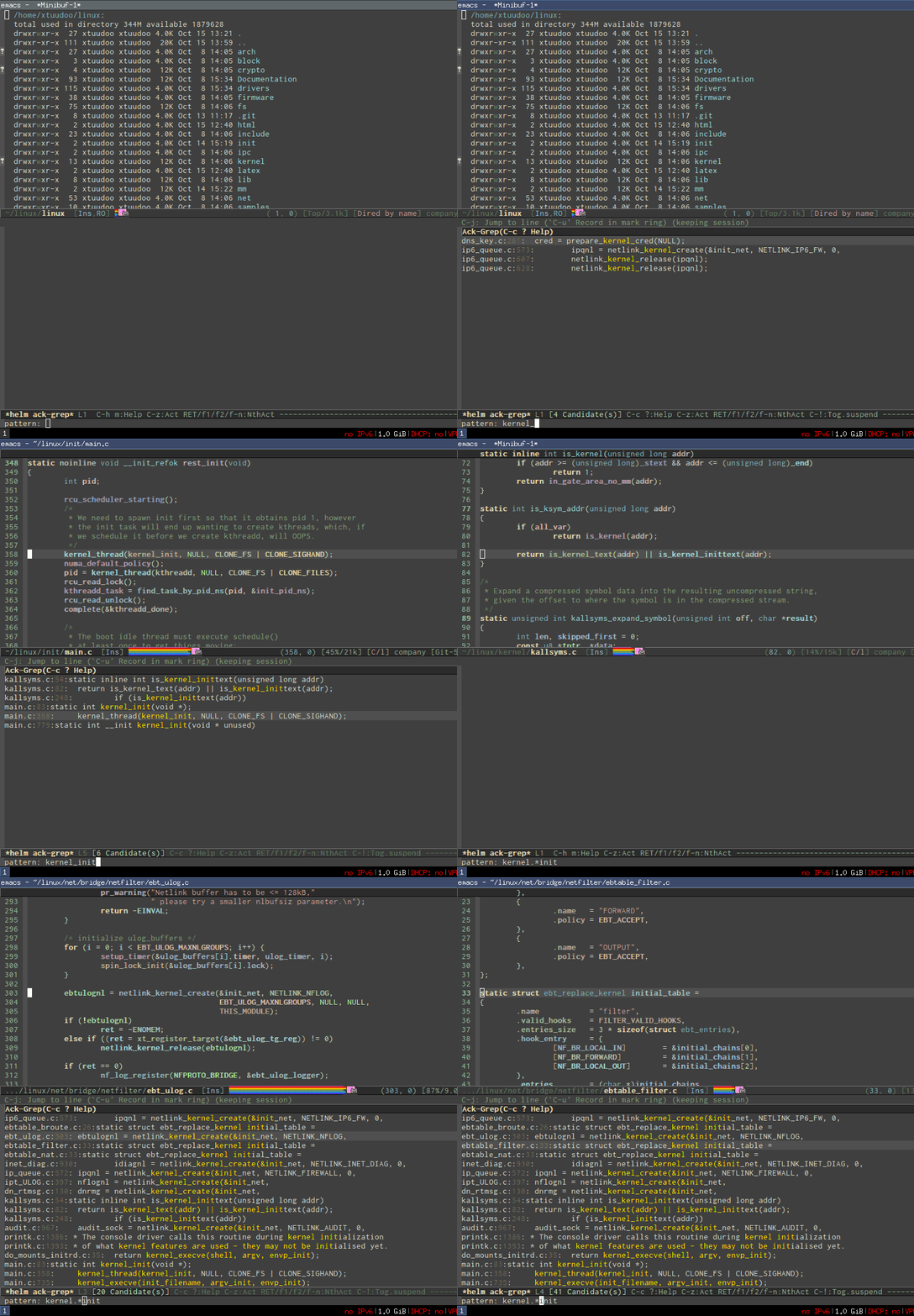
- Live grep: http://tuhdo.github.io/static/live_grep.gif

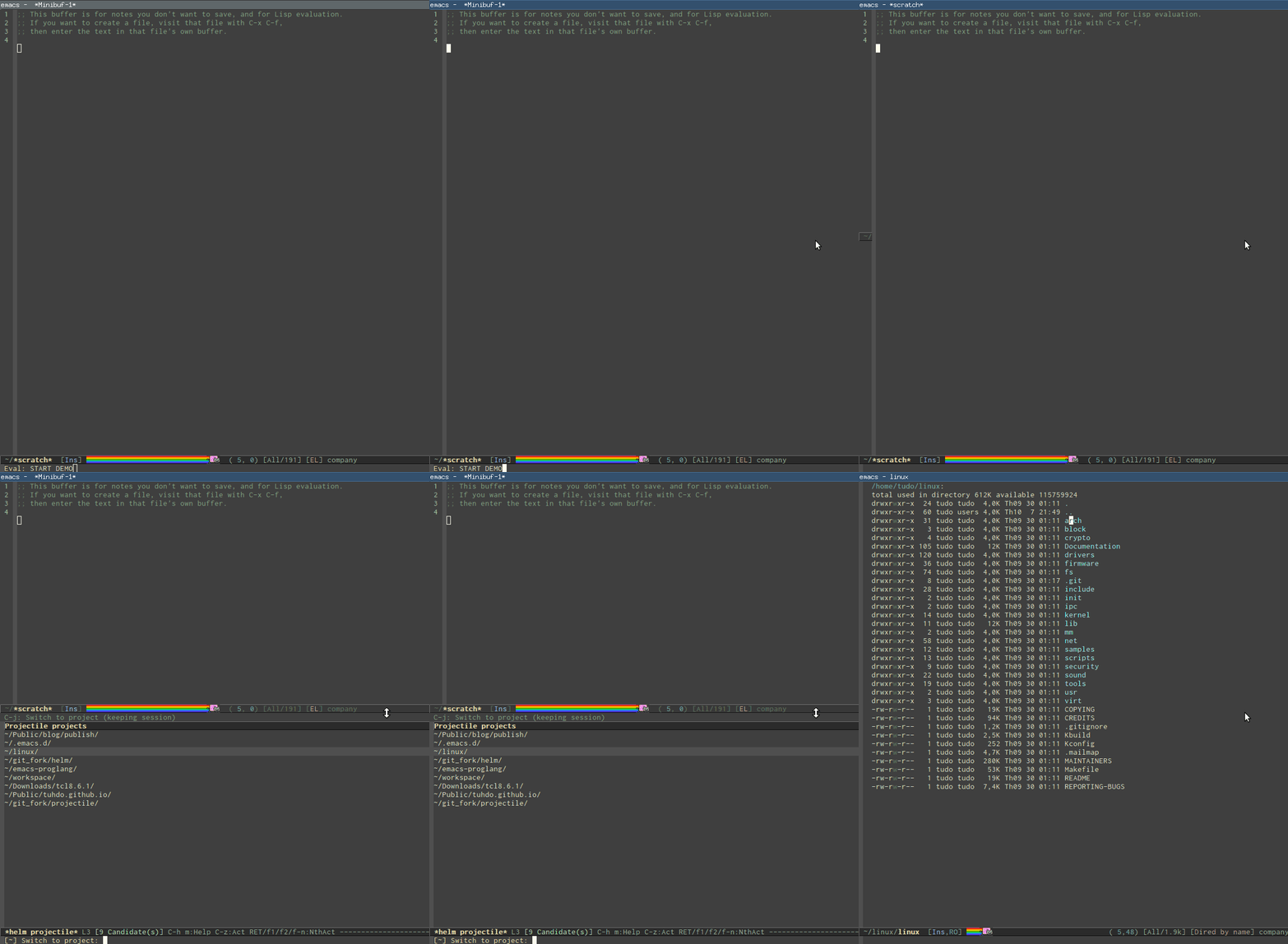
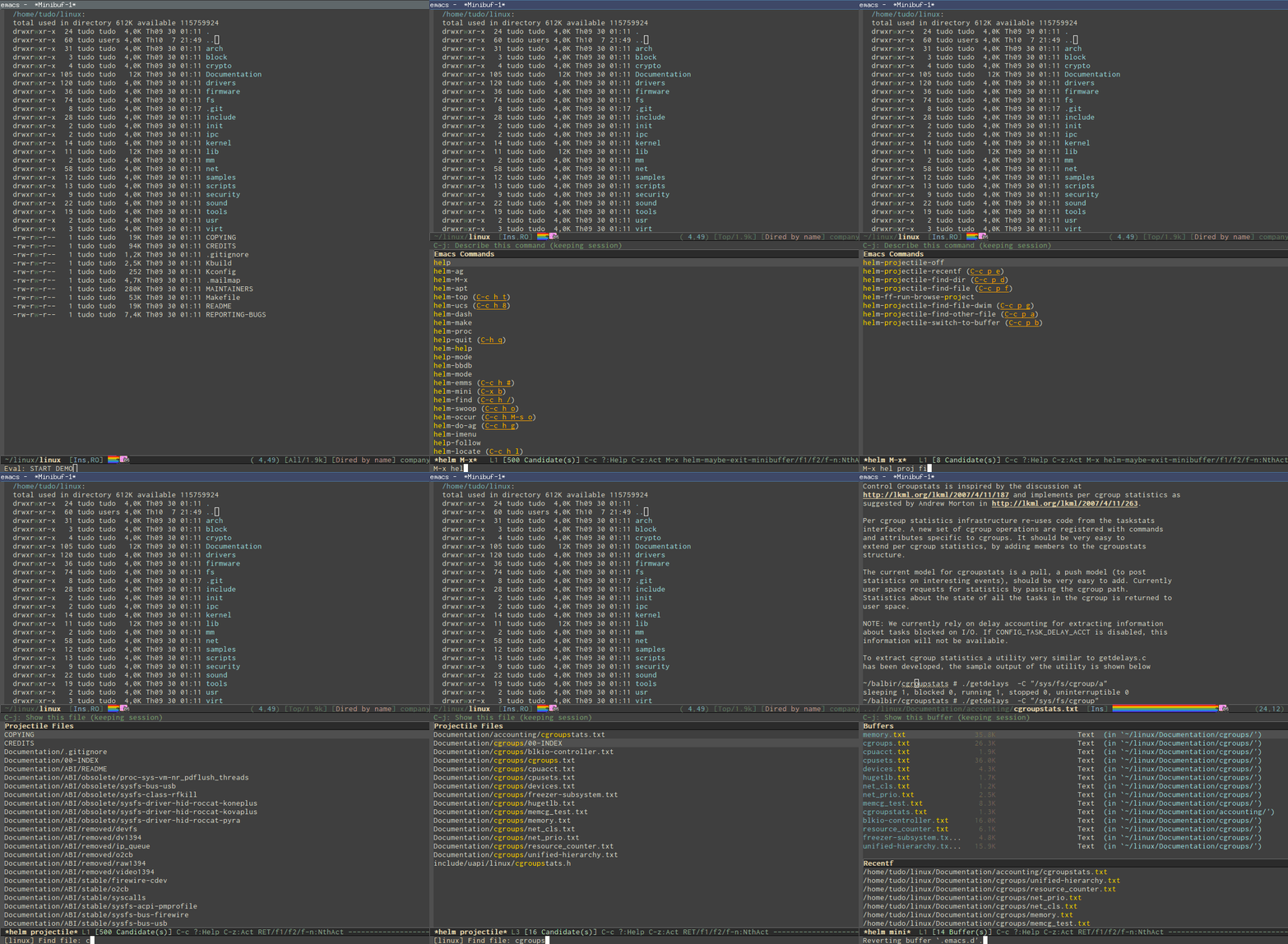
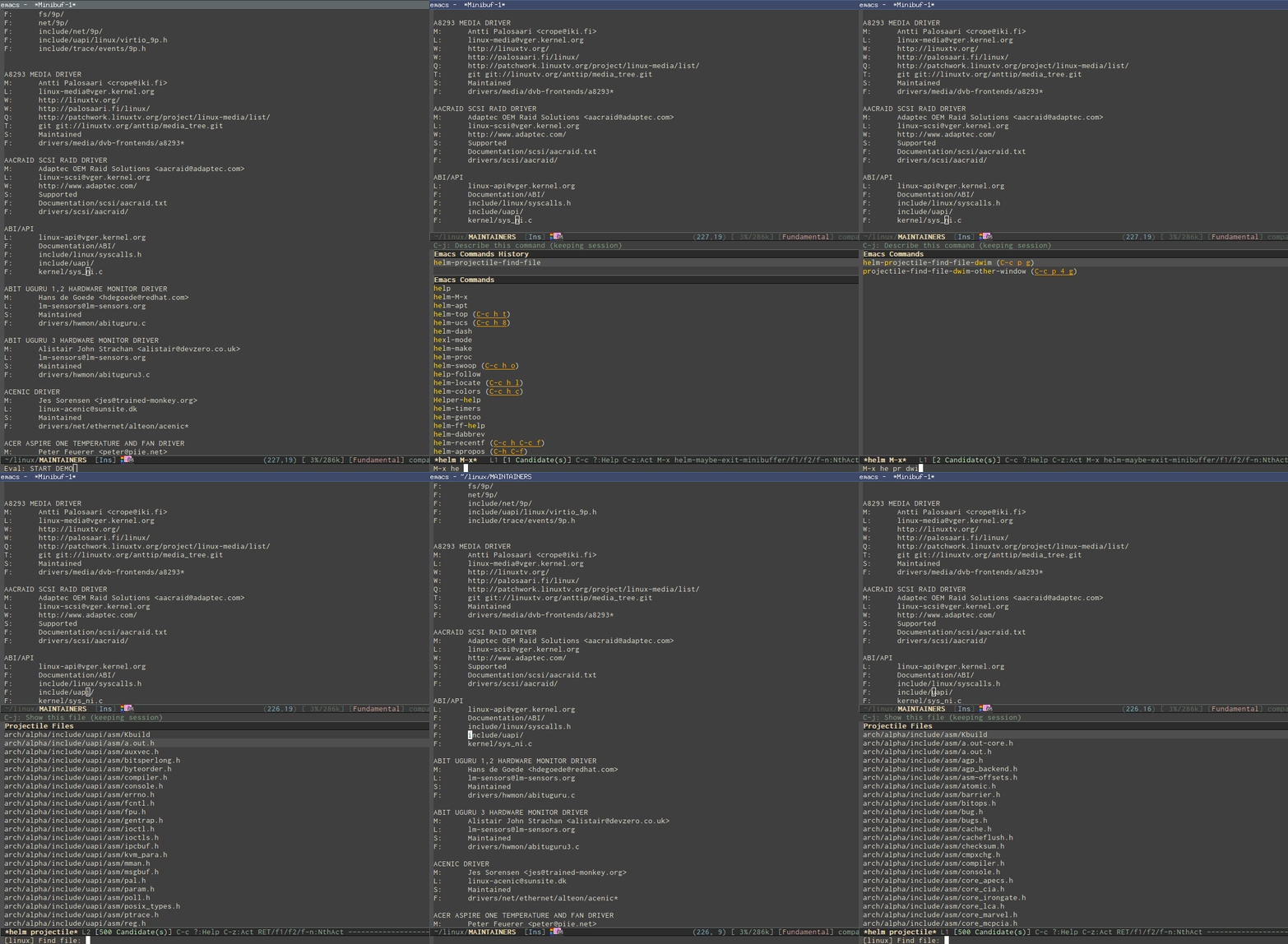
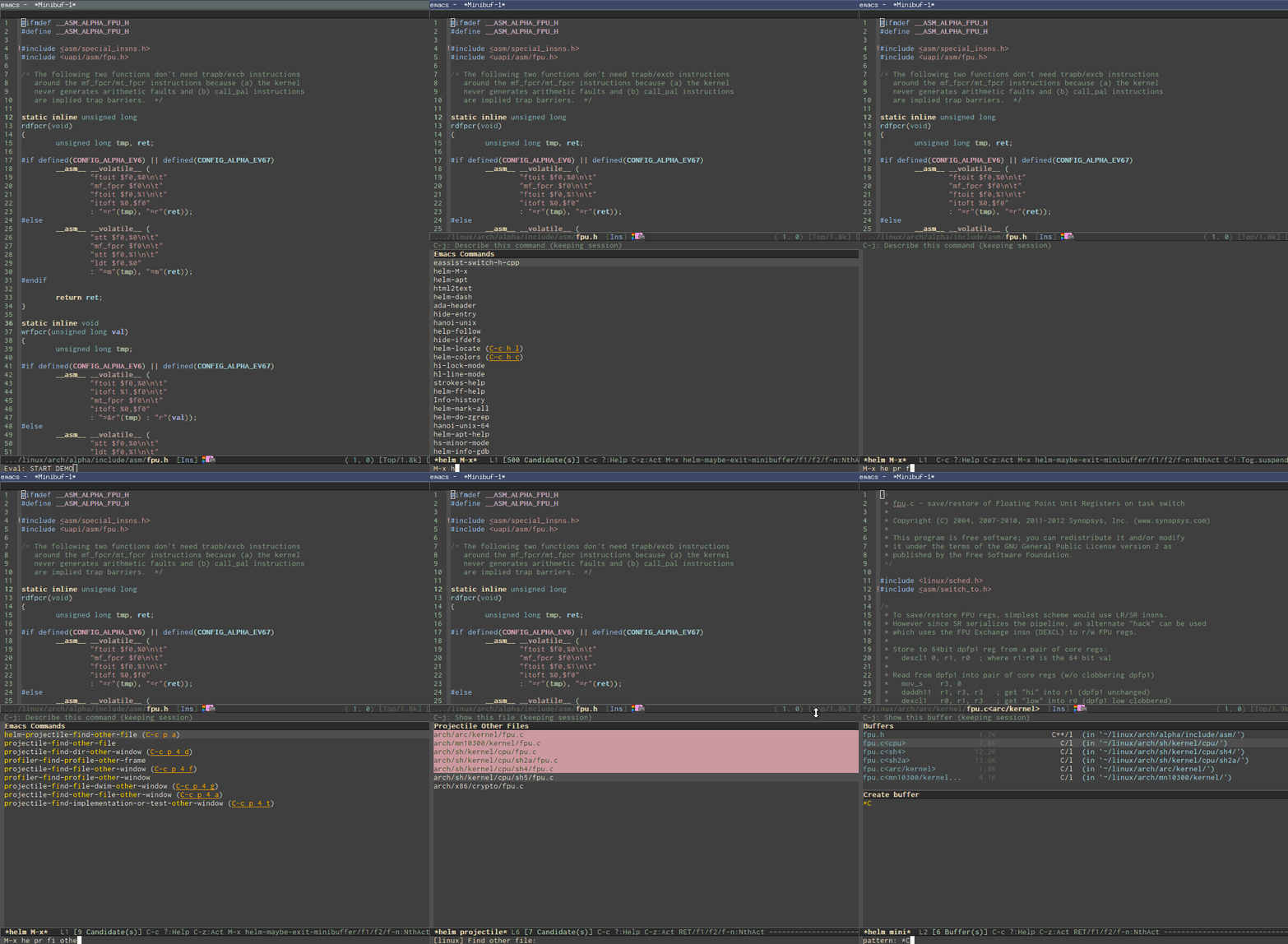
- Access to a list of project with a few key strokes: http://tuhdo.github.io/static/helm-projectile/helm-projectil....

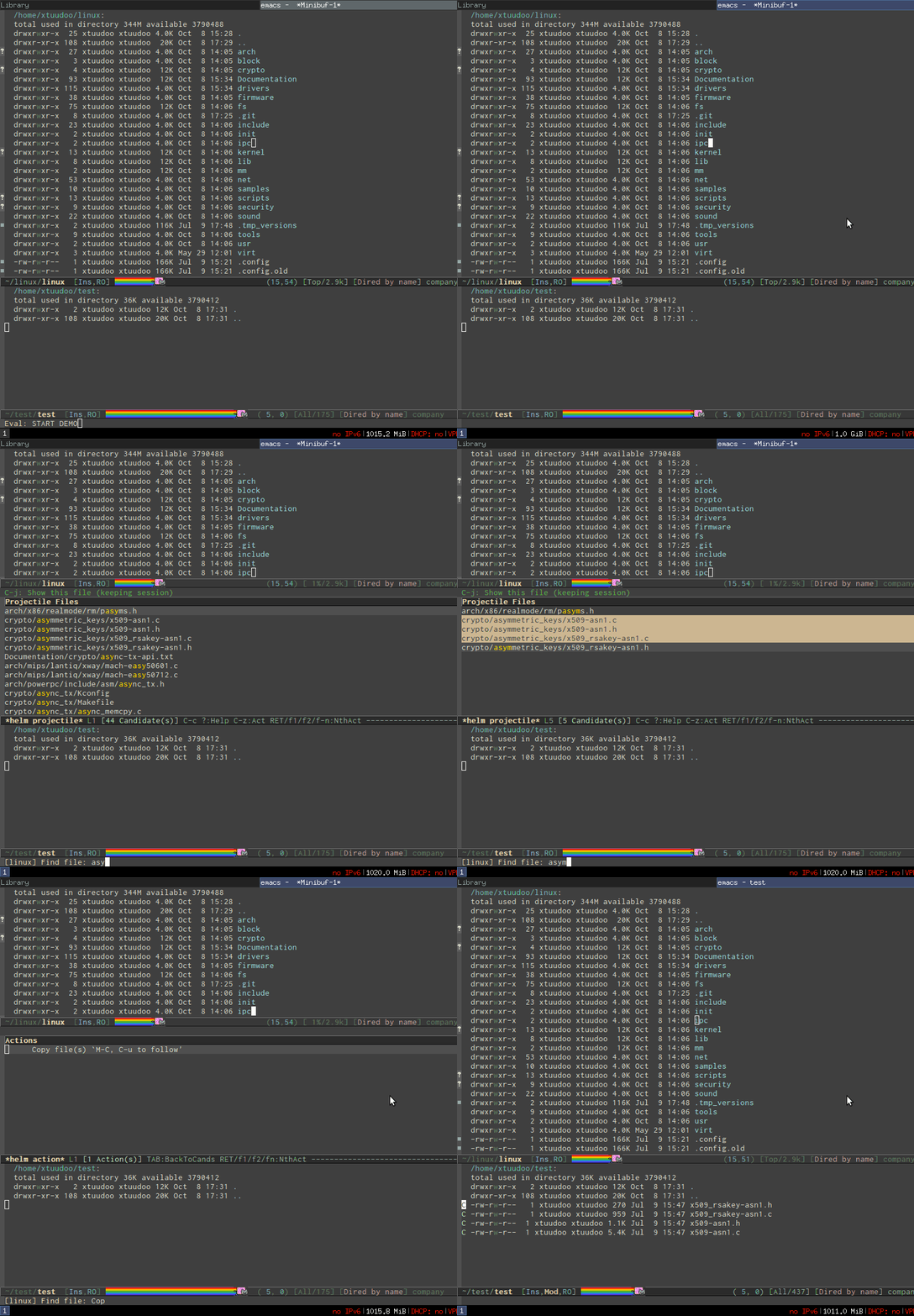
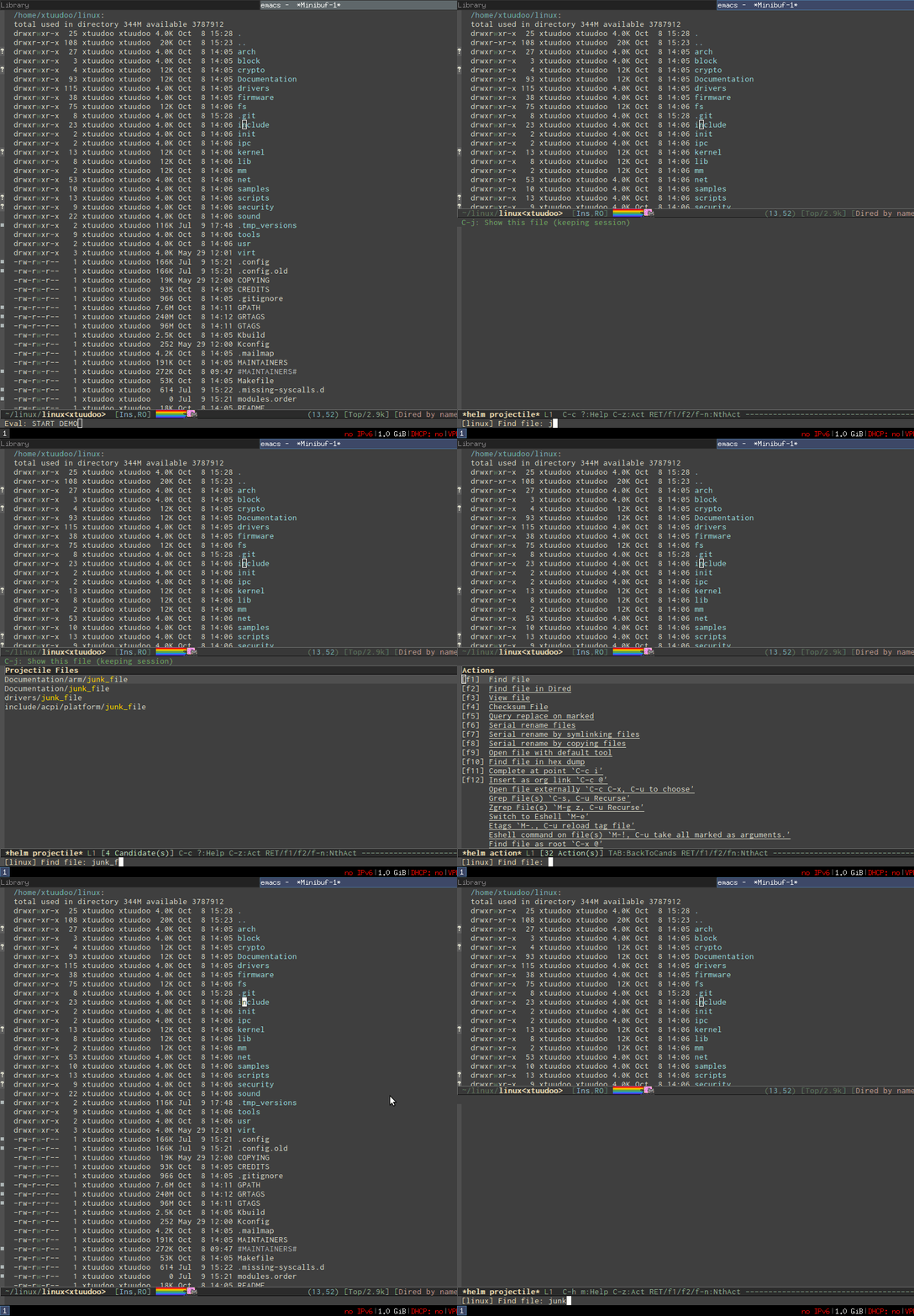
- Quickly access any file in your project, as large as Linux kernel, instantly, regardless of where you are in the project, and within a few keystrokes: http://tuhdo.github.io/static/helm-projectile/helm-projectil....

- Jump to any file depends on context, even if the file path is in a plain ASCII text file: http://tuhdo.github.io/static/helm-projectile/helm-projectil....

- Copy files from anywhere to anywhere: http://tuhdo.github.io/static/helm-projectile/helm-projectil....

- Delete files anywhere; files are always at your finger tip to do whatever with them: http://tuhdo.github.io/static/helm-projectile/helm-projectil....

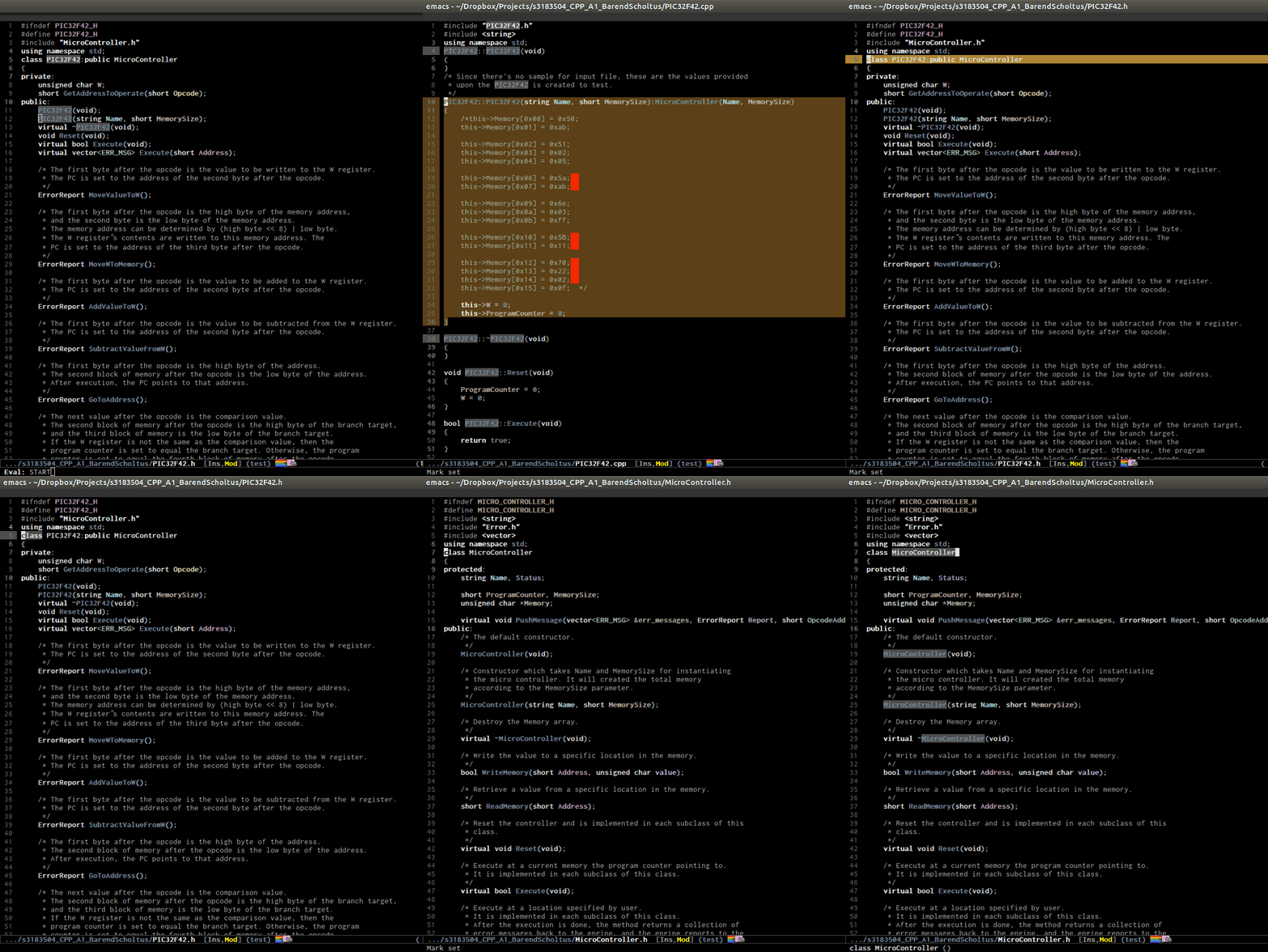
- Switch between other files with same names but different extensions: http://tuhdo.github.io/static/helm-projectile/helm-projectil.... Work not only for C/C++ but other languages, and is customizable. You don't have to configure anything, like adding include paths for the command to search. Everything is automatic. Just use it as it is.

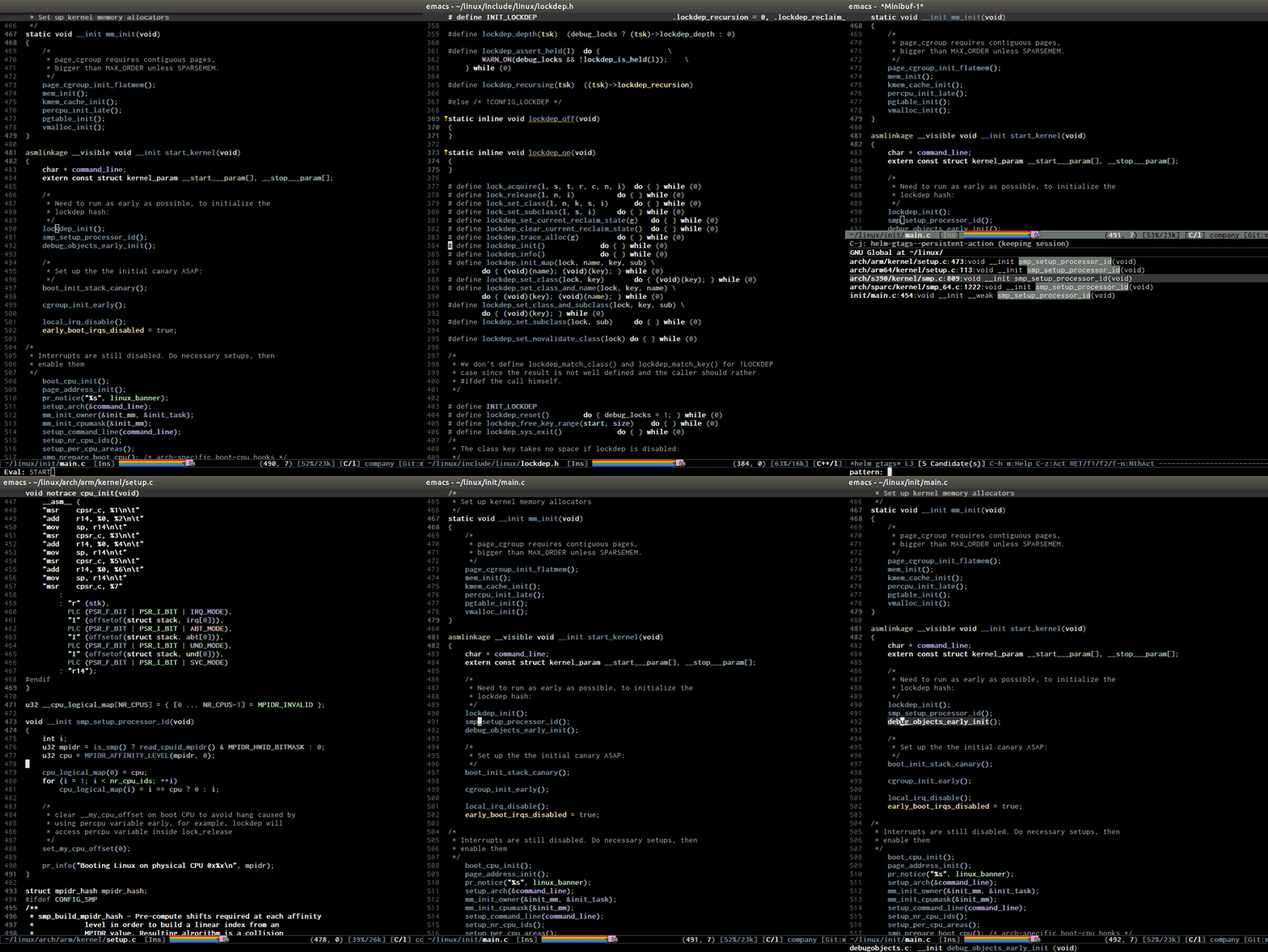
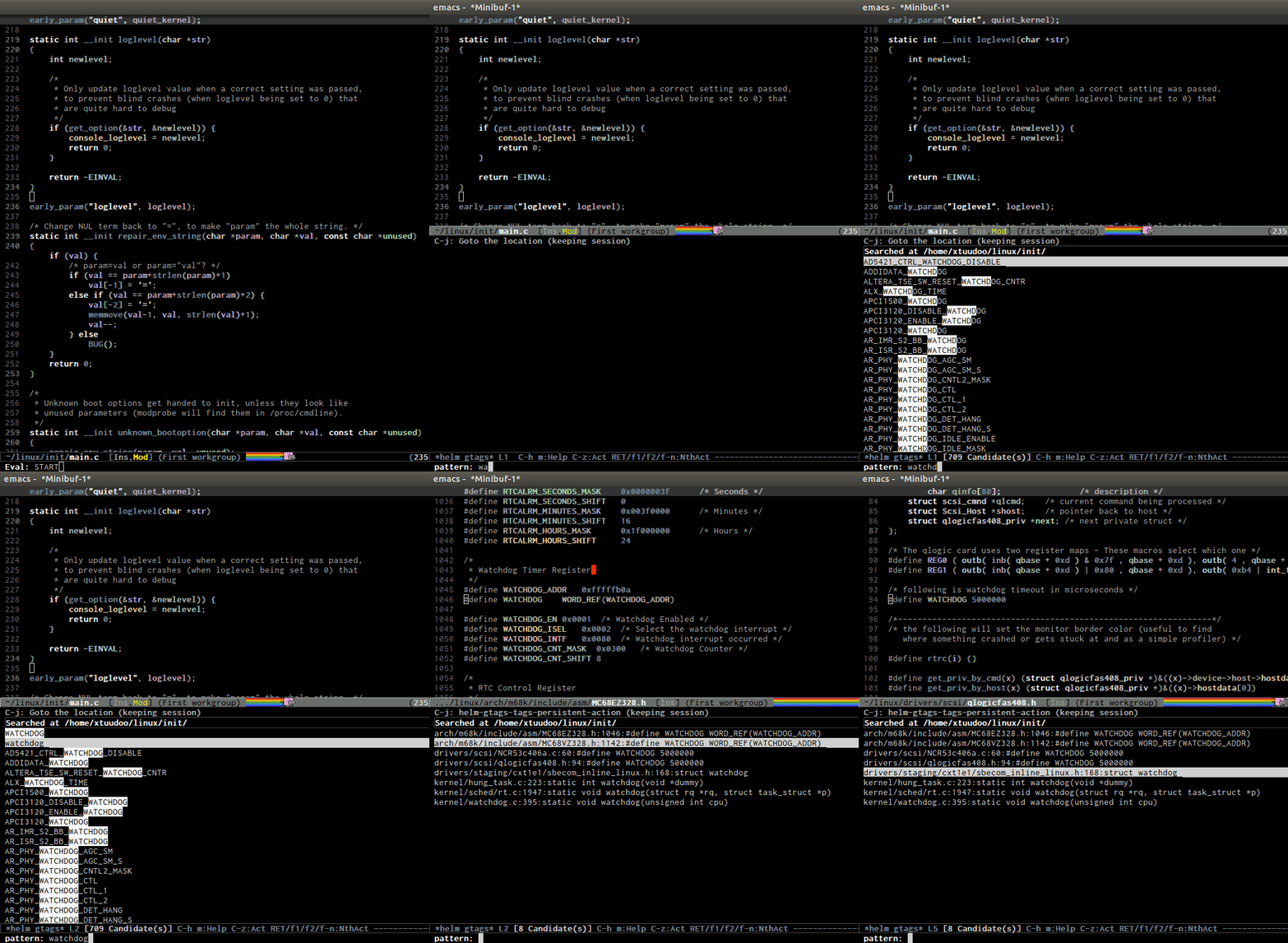
- Jump to tag definition, from Emacs's own parser or external parser like GNU Global: http://tuhdo.github.io/static/c-ide/helm-gtags-jump-dwim.gif

- Jump to any definition from a list of definitions in source tree, even for Linux kernel: http://tuhdo.github.io/static/c-ide/helm-gtags-select.gif

- Jump up to parent: http://tuhdo.github.io/static/c-ide/senator-go-to-up-referen....

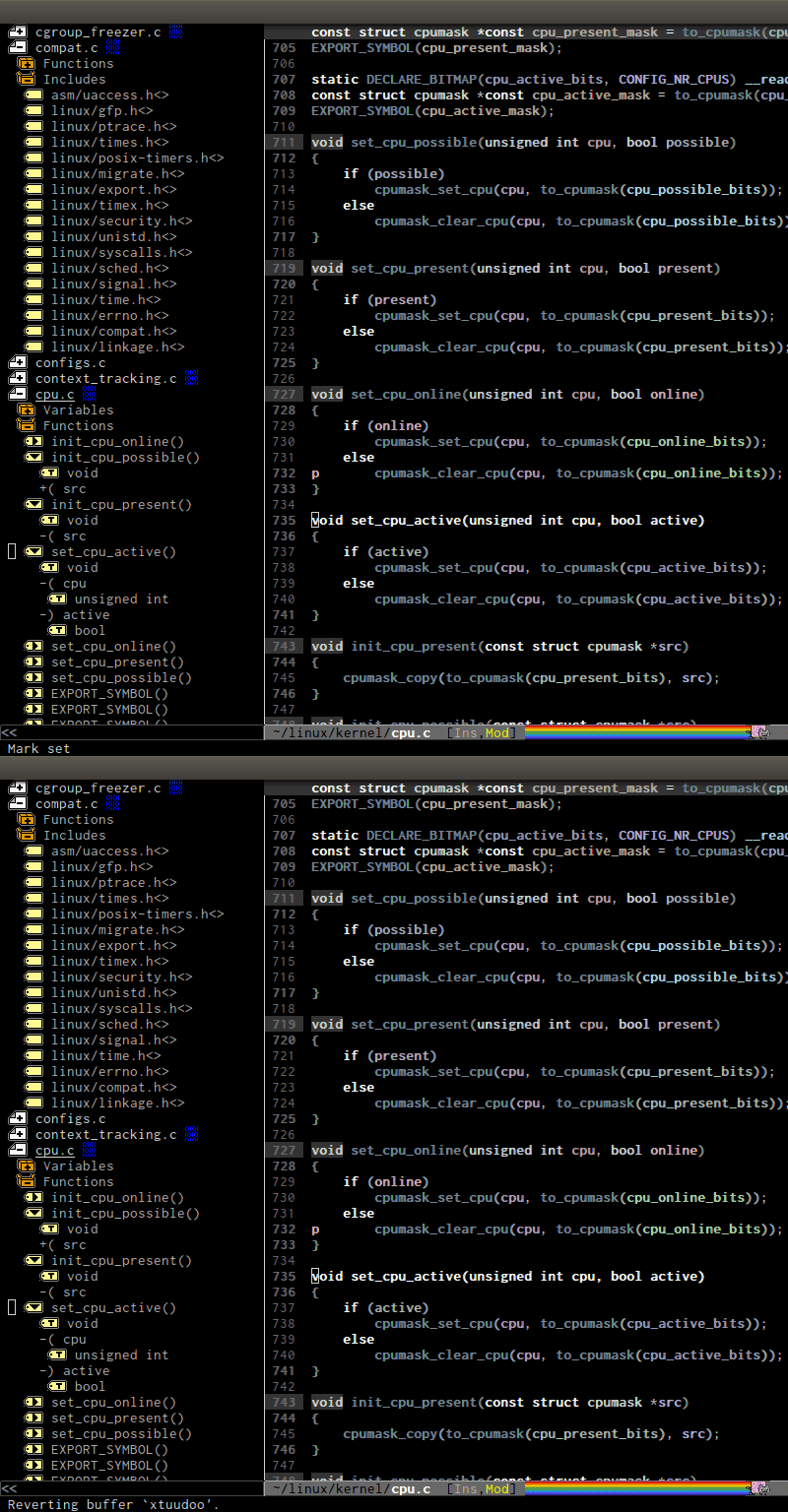
- Do you like outline tree?: http://tuhdo.github.io/static/c-ide/sr-speedbar.gif

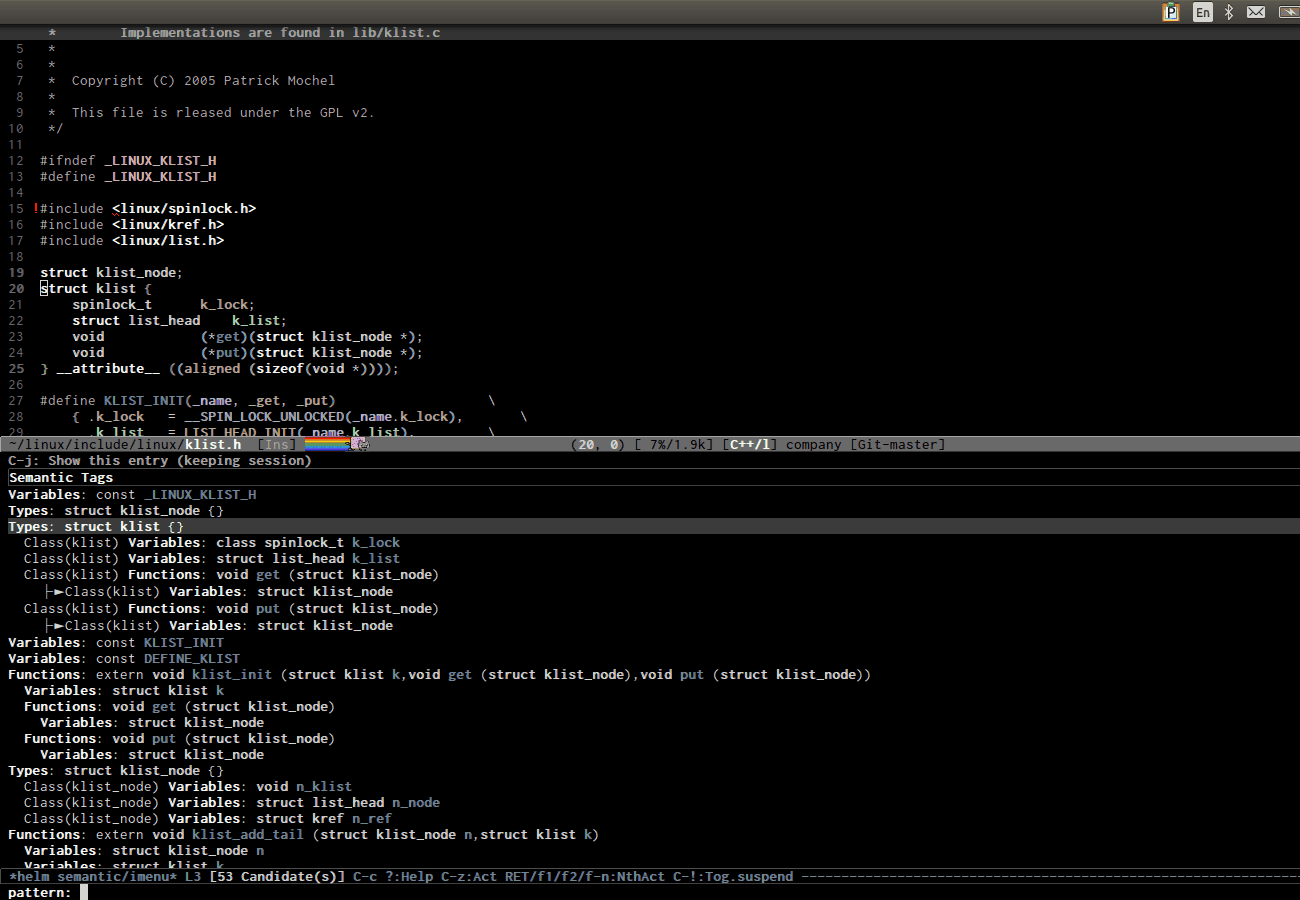
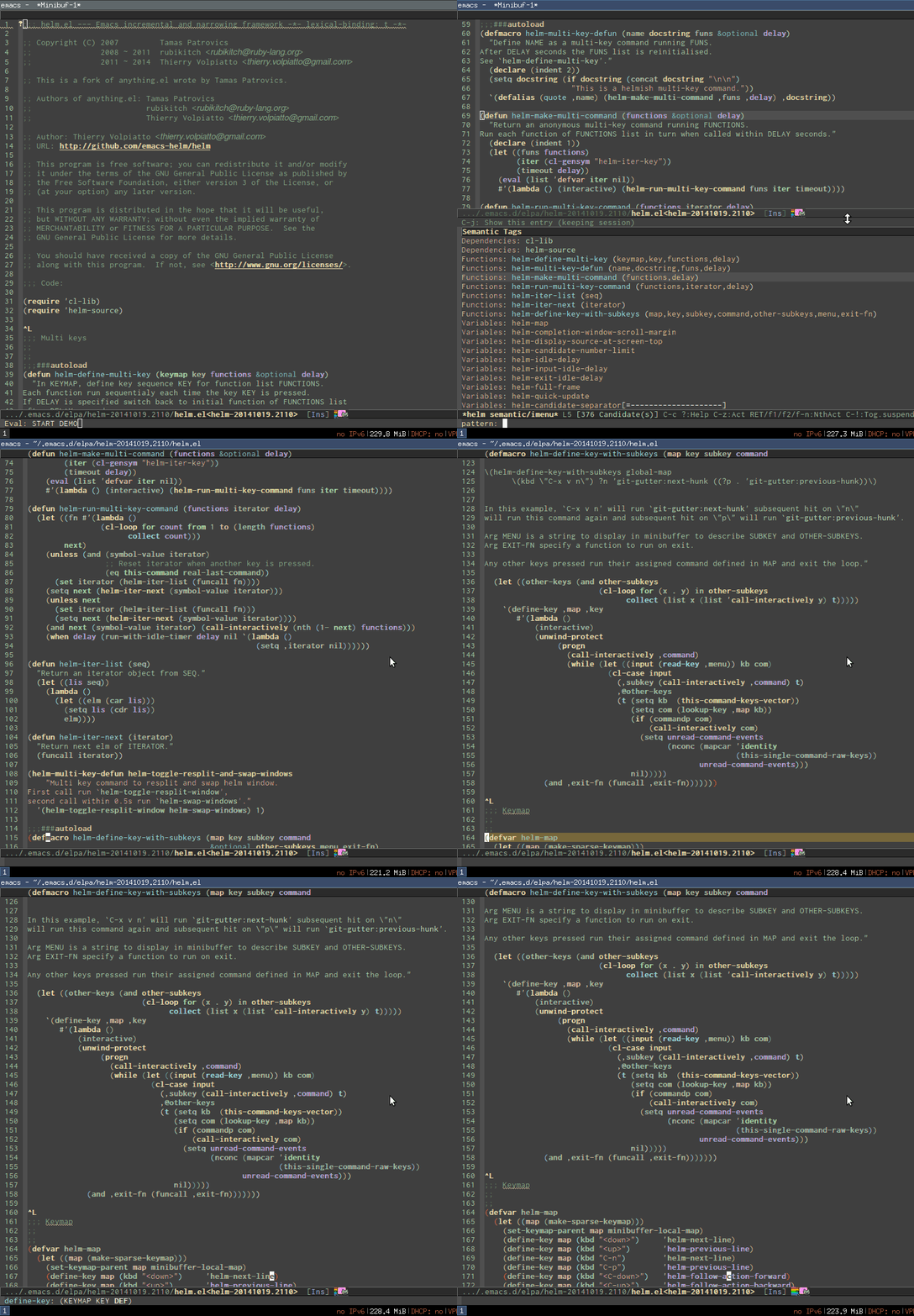
- Interactive outline tree: http://tuhdo.github.io/static/c-ide/helm-semantic-or-imenu-w....

- Easily move back and forth using the interactive outline tree: http://tuhdo.github.io/static/part3/helm-semantic-or-imenu-2....

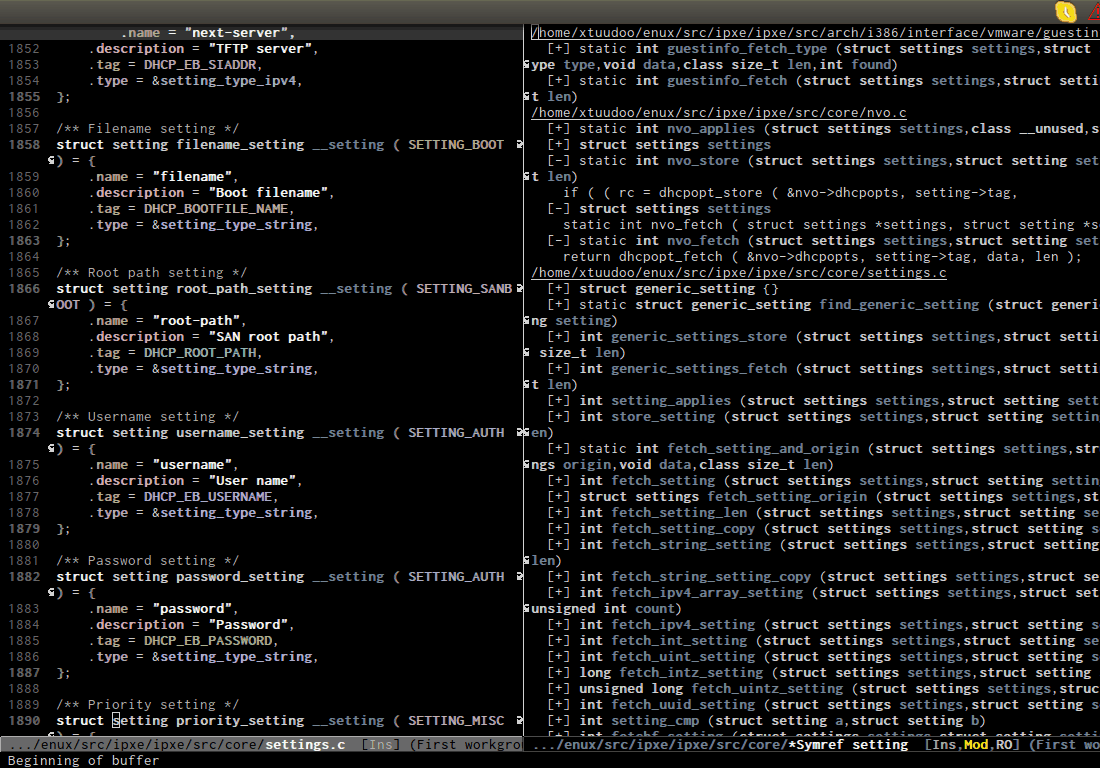
- References retrieved from its Emacs internal parser: http://tuhdo.github.io/static/c-ide/semantic-symref.gif.

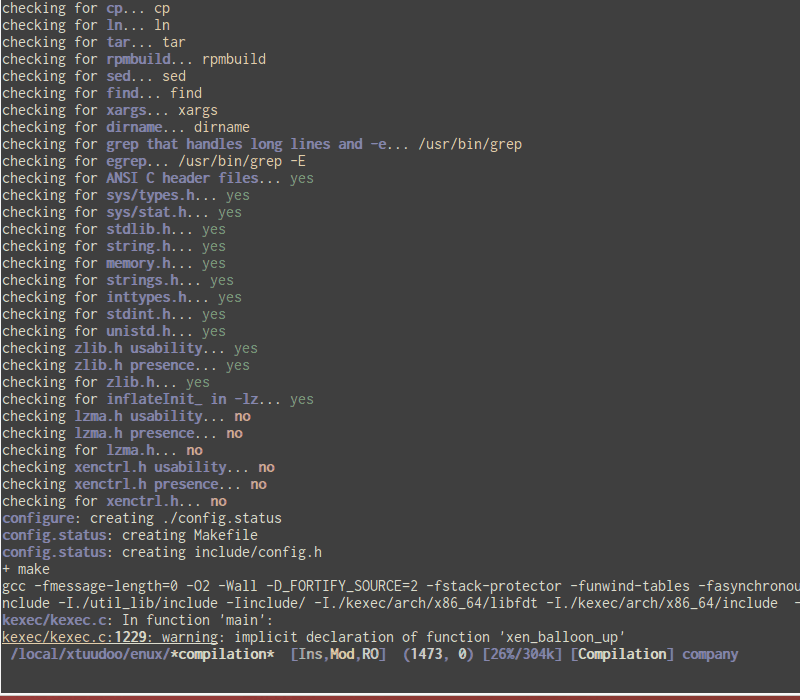
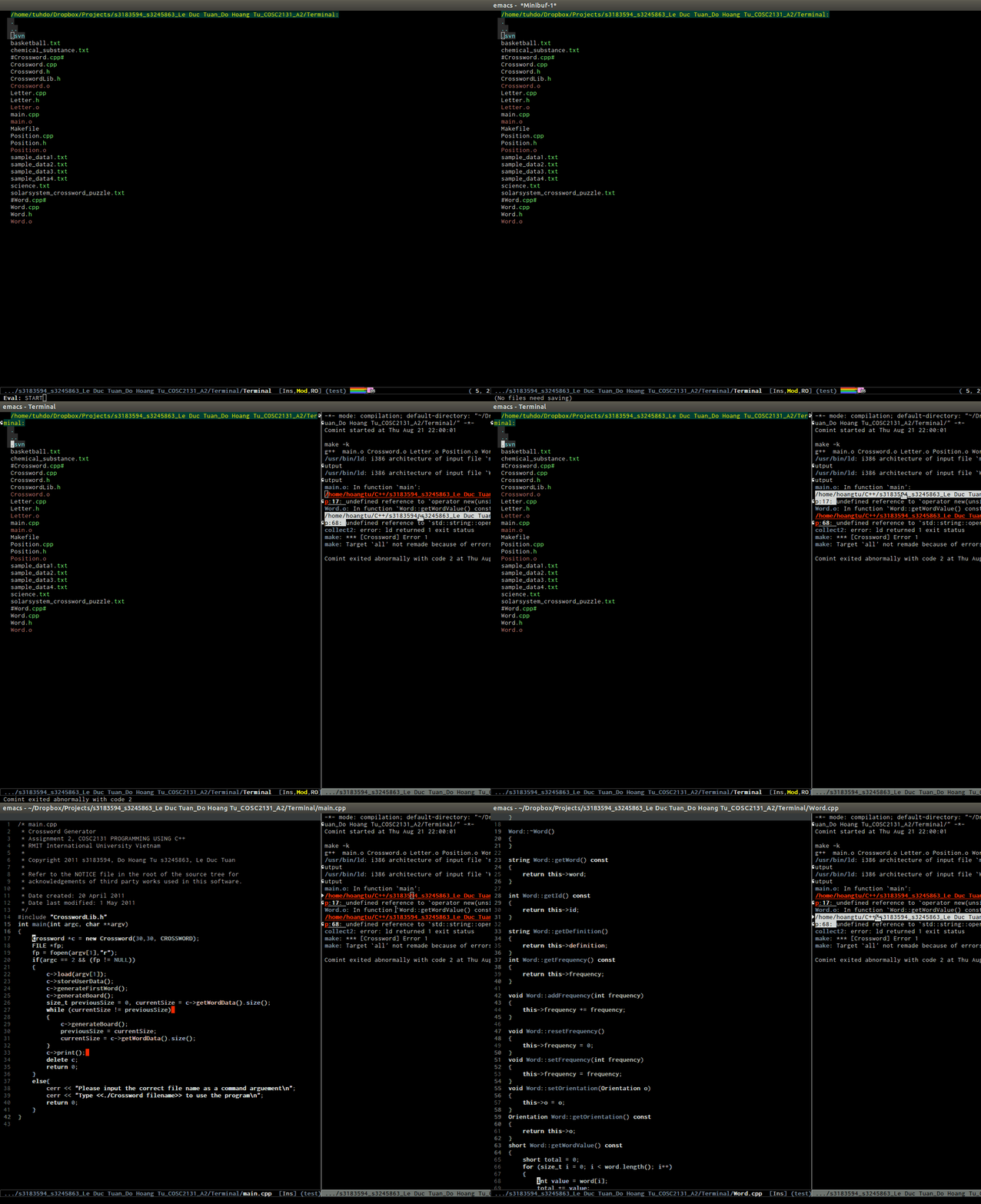
- Beautiful compile output: http://tuhdo.github.io/static/c-ide/compilation-compile.gif

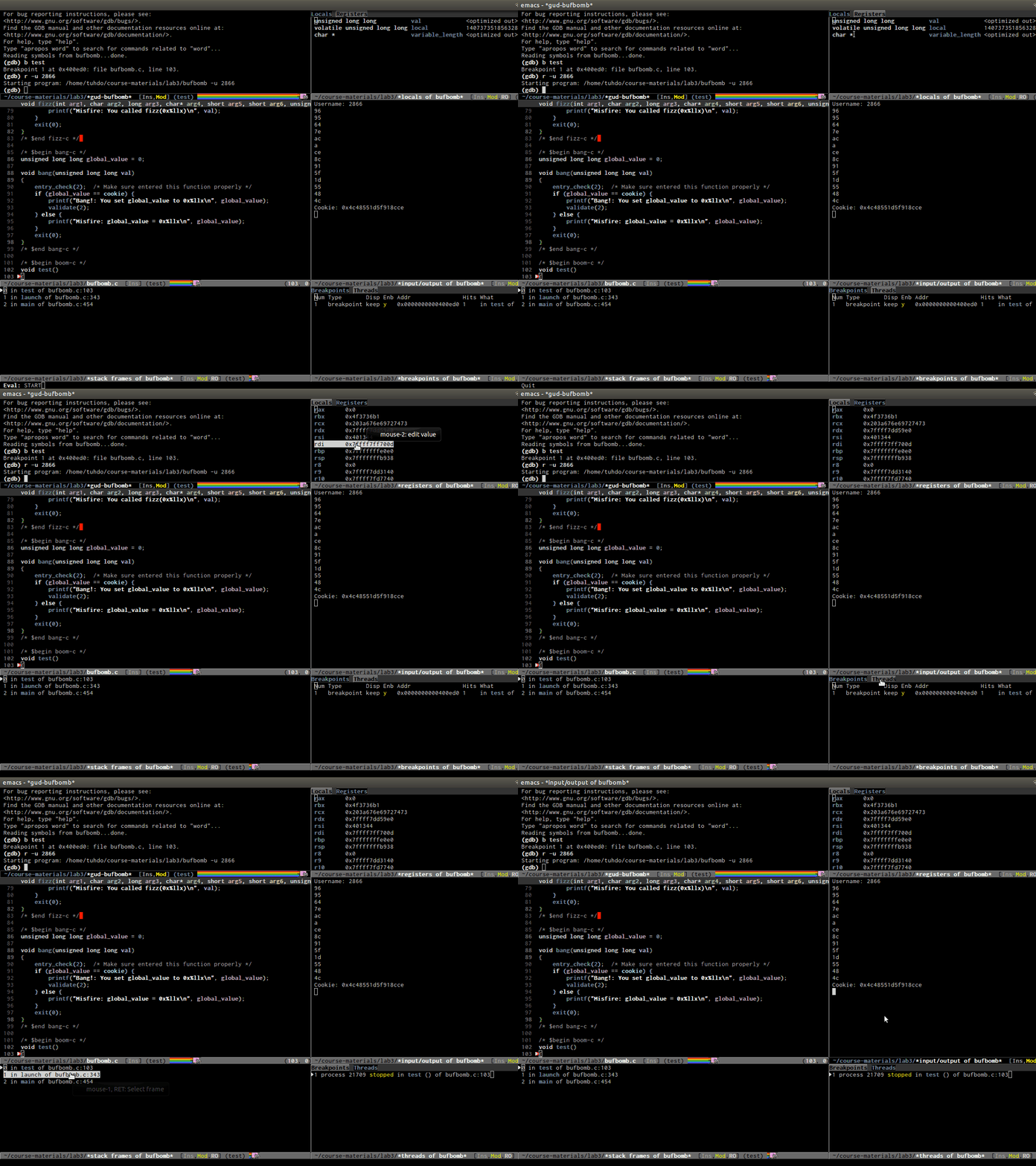
- Frontend support for GDB: http://tuhdo.github.io/static/c-ide/gdb-many-windows.gif

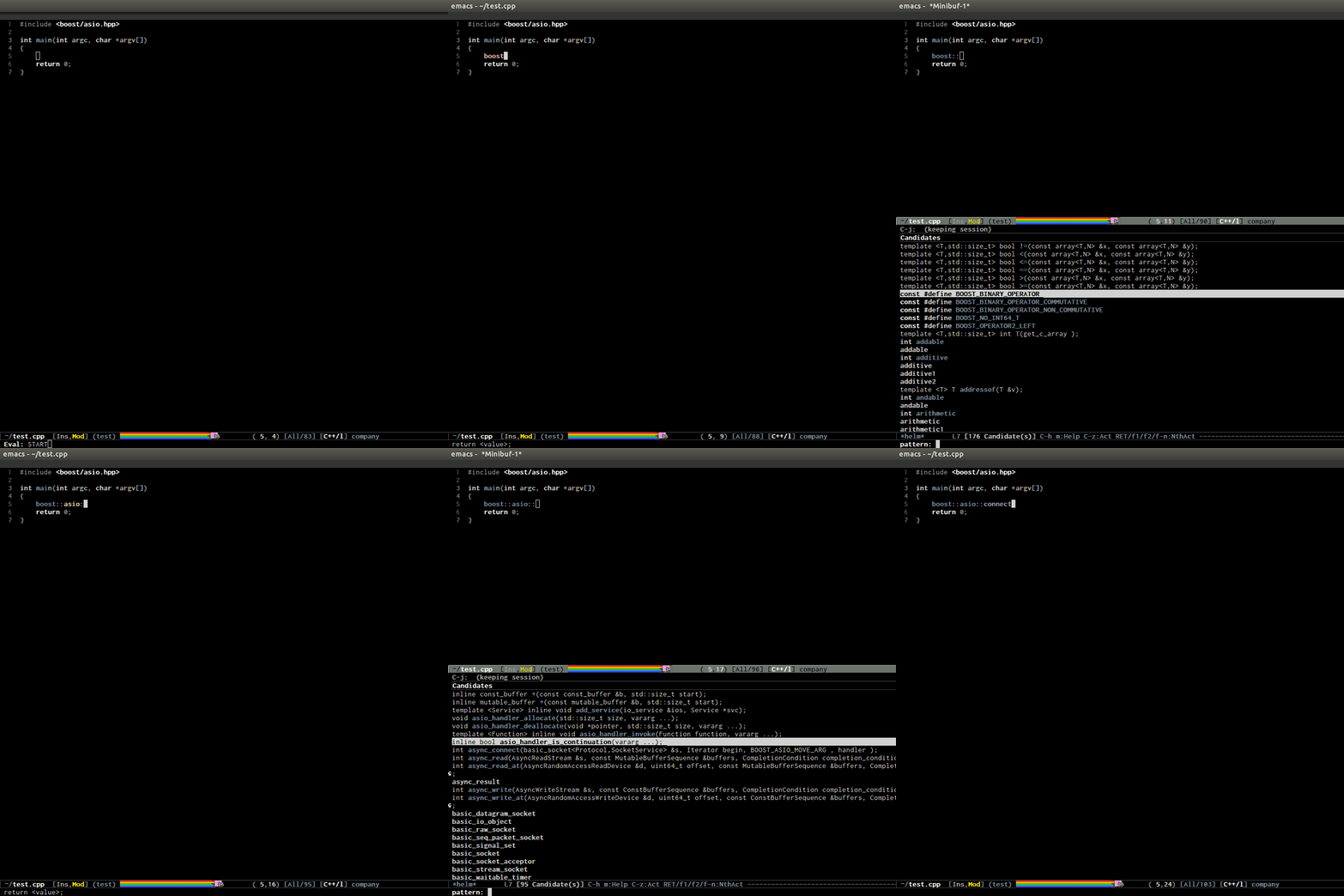
- Code completion: http://tuhdo.github.io/static/c-ide/semantic-boost-demo.gif.

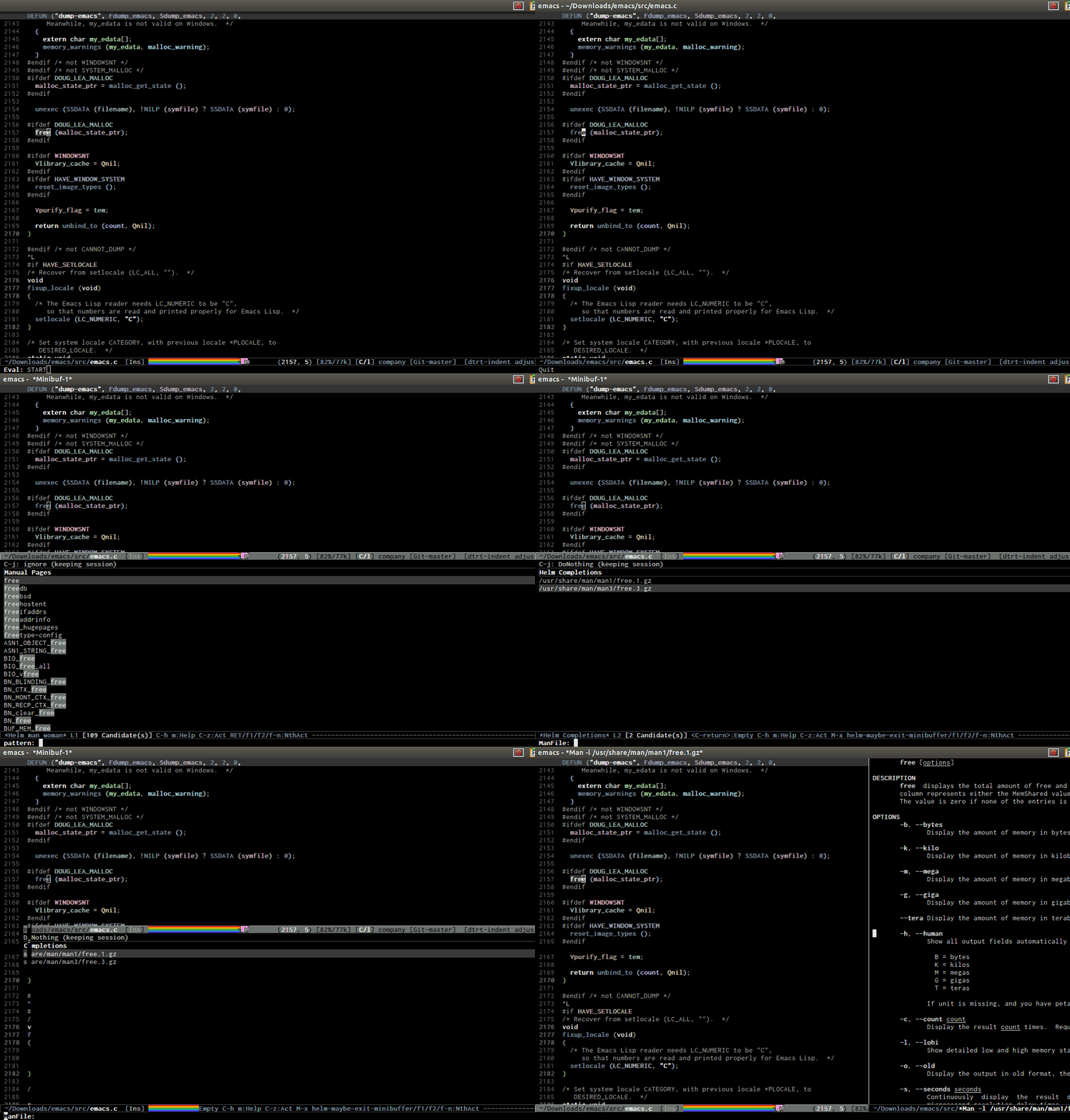
- Open man page for symbol at cursor: http://tuhdo.github.io/static/part3/helm-man-woman.gif.

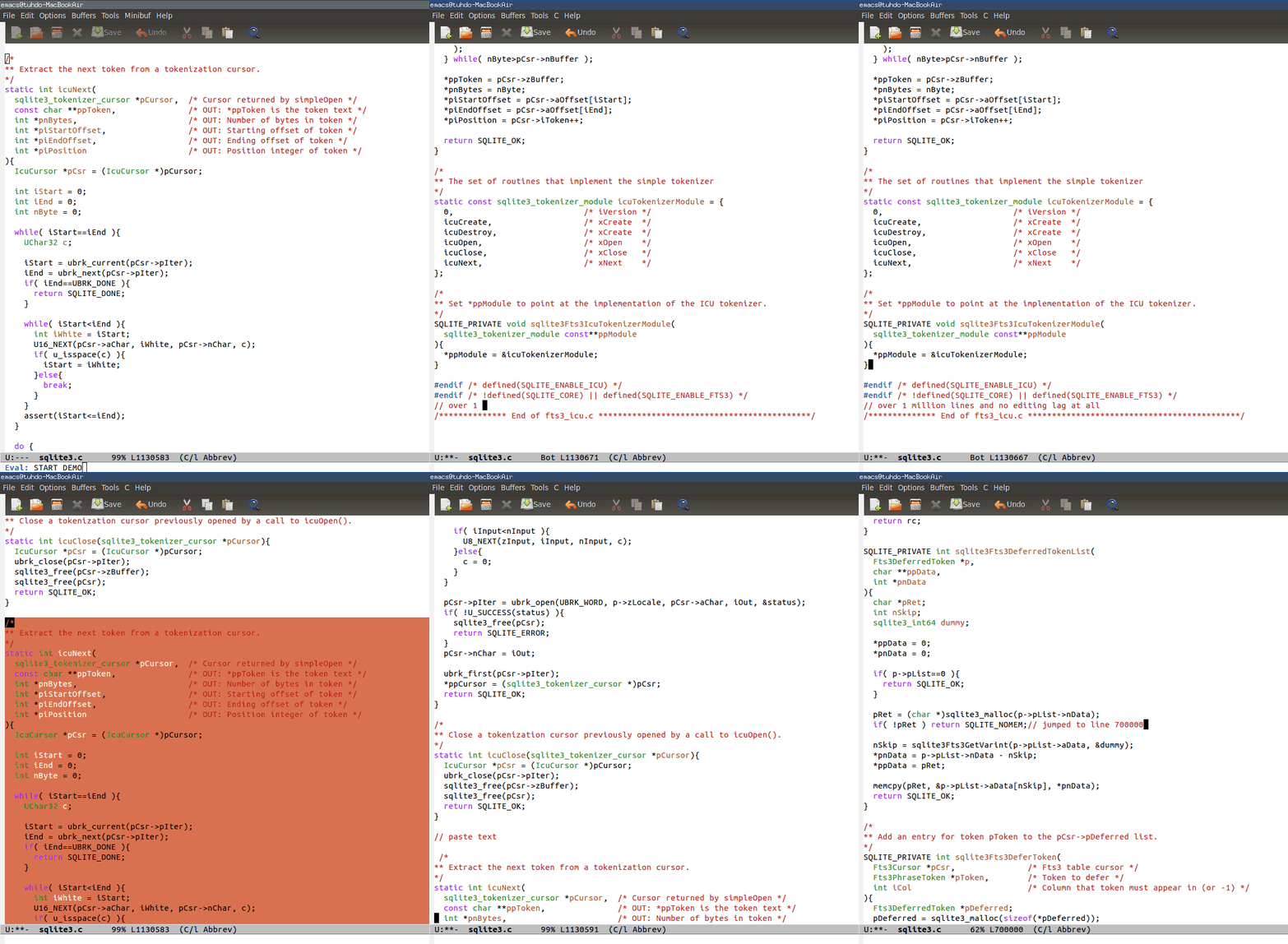
- Emacs open 39MB C file: http://tuhdo.github.io/static/performance.gif

- Emac opens multi-gigabtye file: http://www.emacswiki.org/VLF

- Emacs is a bit torrent client: https://bitbucket.org/ukaszg/aria2-mode/

You can see more demos in:

+ Emacs Mini Manual: http://tuhdo.github.io/emacs-tutor.html + C/C++ Development Environment for Emacs: http://tuhdo.github.io/c-ide.html + A Package in a league of its own: Helm: http://tuhdo.github.io/helm-intro.html + Exploring large projects with Projectile and Helm Projectile: http://tuhdo.github.io/helm-projectile.html

Note that in the demos you may see me type in the commands. You can think of it like the start menu in Windows, but actually those commands can be executed quickly with a shortcut. I type in the commands for demonstration purpose to Emacs users.

Those demos are just tip of the iceberg.


Most of your links are truncated :(


Opps sorry about the link. I reposted with proper links here:

If you write C++, did you check my C/C++ guide: http://tuhdo.github.io/c-ide.html. Aside from refactoring, you have mostly everything like:

- code navigation: jump to anywhere instantly. DEMO: http://tuhdo.github.io/static/c-ide/helm-gtags-jump-dwim.gif.

- code completion: context-sensitve completion. DEMO: http://tuhdo.github.io/static/c-ide/semantic-boost-demo.gif.

- code compilation: you can click on the error and it gets you to where you want; work with any build system, while other IDE only supports a specific build system, i.e. for Makefile project, you only get plain text error message. DEMO: http://tuhdo.github.io/static/c-ide/compilation-mode.gif.

- code debugging: provides a frontend for GDB; DEMO: http://tuhdo.github.io/static/c-ide/gdb-many-windows.gif.

- Powerful automatic indentation: https://github.com/Bruce-Connor/aggressive-indent-mode. It does not only indent the current line, but the whole Semantic context around your cursor. Demos inside the homepage.

- Live grep: http://tuhdo.github.io/static/live_grep.gif.

- Access to a list of project with a few key strokes: http://tuhdo.github.io/static/helm-projectile/helm-projectil...

- Quickly access any file in your project, as large as Linux kernel, instantly, regardless of where you are in the project, and within a few keystrokes: http://tuhdo.github.io/static/helm-projectile/helm-projectil....

- Jump to any file depends on context, even if the file path is in a plain ASCII text file: http://tuhdo.github.io/static/helm-projectile/helm-projectil...

- Copy files from anywhere to anywhere: http://tuhdo.github.io/static/helm-projectile/helm-projectil....

- Delete files anywhere; files are always at your finger tip to do whatever with them: http://tuhdo.github.io/static/helm-projectile/helm-projectil....

- Switch between other files with same names but different extensions: http://tuhdo.github.io/static/helm-projectile/helm-projectil.... Work not only for C/C++ but other languages, and is customizable. You don't have to configure anything, like adding include paths. Everything is automatically done for you.

- Jump to tag definition, from its own parser or external parser like GNu Global: http://tuhdo.github.io/static/c-ide/helm-gtags-jump-dwim.gif

- Jump up to parent: http://tuhdo.github.io/static/c-ide/senator-go-to-up-referen....

- Do you like outline tree?: http://tuhdo.github.io/static/c-ide/sr-speedbar.gif

- Interactive outline tree: http://tuhdo.github.io/static/c-ide/helm-semantic-or-imenu-w...

- Easily move back and forth using the interactive outline tree: http://tuhdo.github.io/static/part3/helm-semantic-or-imenu-2...

- References retrieved from its Emacs internal parser: http://tuhdo.github.io/static/c-ide/semantic-symref.gif.

- Beautiful compile output: http://tuhdo.github.io/static/c-ide/compilation-compile.gif

- Frontend support for GDB: http://tuhdo.github.io/static/c-ide/gdb-many-windows.gif

- Open man page for symbol at cursor: http://tuhdo.github.io/static/part3/helm-man-woman.gif.

- Emacs open 39MB C file: http://tuhdo.github.io/static/performance.gif

- Emac opens multi-gigabtye file: http://www.emacswiki.org/VLF


And if a parenthesis is missing in any of those 2300 elisp files: MWAHAHAHAH

;)


Emacs will tell you the exact location where you missed instantly when the files are loaded. No worry! Anyway, to try out Emacs these days everything is already done for you:

- Prelude (for those who want to learn Emacs): https://github.com/bbatsov/prelude

- Spacemacs (for long time Vim users): https://github.com/syl20bnr/spacemacs


That isn't my experience...


Just opened Emacs 24.4 for a test:

    Warning (initialization): An error occurred while loading `c:/Users/swah/.emacs':

    Wrong type argument: listp, 769

    To ensure normal operation, you should investigate and remove the
    cause of the error in your initialization file.  Start Emacs with
    the `--debug-init' option to view a complete error backtrace.
That .emacs file contains only has two lines:

    (defvar emacs-root (expand-file-name "~/Dropbox/dotfiles/emacs/"))
    (load-file "~/Dropbox/dotfiles/emacs/init.el")
So I did M-x toggle-debug-on-error and reloaded init.el manually.. Then I took a look at the Messages buffer:

  Debugger entered--Lisp error: (wrong-type-argument listp 769)
    memq(&rest 769)
    (if (memq (quote &rest) arglist) most-positive-fixnum (length (remq (quote &optional) arglist)))
    (let ((arglist (if (byte-code-function-p function) (aref function 0) (second function)))) (if (memq (quote &rest) arglist) most-positive-fixnum (length (remq (quote &optional) arglist))))
    (if (subrp function) (let ((max (cdr (subr-arity function)))) (if (eq (quote many) max) most-positive-fixnum max)) (if (eq (quote macro) (car-safe function)) (setq function (cdr function))) (let ((arglist (if (byte-code-function-p function) (aref function 0) (second function)))) (if (memq (quote &rest) arglist) most-positive-fixnum (length (remq (quote &optional) arglist)))))
    magit-max-args-internal(delete-directory)
    (>= (magit-max-args-internal (quote delete-directory)) 2)
    (if (>= (magit-max-args-internal (quote delete-directory)) 2) (defalias (quote magit-delete-directory) (quote delete-directory)) (defun magit-delete-directory (directory &optional recursive) "Deletes a directory named DIRECTORY.  If RECURSIVE is non-nil,\nrecursively delete all of DIRECTORY's contents as well.\n\nDoes not follow symlinks." (if (or (file-symlink-p directory) (not (file-directory-p directory))) (delete-file directory) (if recursive (dolist (file (directory-files directory (quote full) "\\([^.]\\|\\.\\([^.]\\|\\..\\)\\).*")) (magit-delete-directory file recursive))) (delete-directory directory))))
    (progn (defun magit-max-args-internal (function) "Returns the maximum number of arguments accepted by FUNCTION." (if (symbolp function) (setq function (symbol-function function))) (if (subrp function) (let ((max (cdr (subr-arity function)))) (if (eq (quote many) max) most-positive-fixnum max)) (if (eq (quote macro) (car-safe function)) (setq function (cdr function))) (let ((arglist (if (byte-code-function-p function) (aref function 0) (second function)))) (if (memq (quote &rest) arglist) most-positive-fixnum (length (remq (quote &optional) arglist)))))) (if (functionp (quote start-file-process)) (defalias (quote magit-start-process) (quote start-file-process)) (defalias (quote magit-start-process) (quote start-process))) (unless (fboundp (quote string-match-p)) (defun string-match-p (regexp string &optional start) "Same as `string-match' except this function does not\nchange the match data." (let ((inhibit-changing-match-data t)) (string-match regexp string start)))) (if (fboundp (quote with-silent-modifications)) (defalias (quote magit-with-silent-modifications) (quote with-silent-modifications)) (defmacro magit-with-silent-modifications (&rest body) "Execute body without changing `buffer-modified-p'. Also, do not\nrecord undo information." (\` (set-buffer-modified-p (prog1 (buffer-modified-p) (let (... before-change-functions after-change-functions) (\,@ body))))))) (if (>= (magit-max-args-internal (quote delete-directory)) 2) (defalias (quote magit-delete-directory) (quote delete-directory)) (defun magit-delete-directory (directory &optional recursive) "Deletes a directory named DIRECTORY.  If RECURSIVE is non-nil,\nrecursively delete all of DIRECTORY's contents as well.\n\nDoes not follow symlinks." (if (or (file-symlink-p directory) (not (file-directory-p directory))) (delete-file directory) (if recursive (dolist (file (directory-files directory ... "\\([^.]\\|\\.\\([^.]\\|\\..\\)\\).*")) (magit-delete-directory file recursive))) (delete-directory directory)))))
    eval((progn (defun magit-max-args-internal (function) "Returns the maximum number of arguments accepted by FUNCTION." (if (symbolp function) (setq function (symbol-function function))) (if (subrp function) (let ((max (cdr (subr-arity function)))) (if (eq (quote many) max) most-positive-fixnum max)) (if (eq (quote macro) (car-safe function)) (setq function (cdr function))) (let ((arglist (if (byte-code-function-p function) (aref function 0) (second function)))) (if (memq (quote &rest) arglist) most-positive-fixnum (length (remq (quote &optional) arglist)))))) (if (functionp (quote start-file-process)) (defalias (quote magit-start-process) (quote start-file-process)) (defalias (quote magit-start-process) (quote start-process))) (unless (fboundp (quote string-match-p)) (defun string-match-p (regexp string &optional start) "Same as `string-match' except this function does not\nchange the match data." (let ((inhibit-changing-match-data t)) (string-match regexp string start)))) (if (fboundp (quote with-silent-modifications)) (defalias (quote magit-with-silent-modifications) (quote with-silent-modifications)) (defmacro magit-with-silent-modifications (&rest body) "Execute body without changing `buffer-modified-p'. Also, do not\nrecord undo information." (\` (set-buffer-modified-p (prog1 (buffer-modified-p) (let (... before-change-functions after-change-functions) (\,@ body))))))) (if (>= (magit-max-args-internal (quote delete-directory)) 2) (defalias (quote magit-delete-directory) (quote delete-directory)) (defun magit-delete-directory (directory &optional recursive) "Deletes a directory named DIRECTORY.  If RECURSIVE is non-nil,\nrecursively delete all of DIRECTORY's contents as well.\n\nDoes not follow symlinks." (if (or (file-symlink-p directory) (not (file-directory-p directory))) (delete-file directory) (if recursive (dolist (file (directory-files directory ... "\\([^.]\\|\\.\\([^.]\\|\\..\\)\\).*")) (magit-delete-directory file recursive))) (delete-directory directory))))) nil)
    #[128 "\301\302\303B\"D\207" [lexical-binding quote eval progn] 5 1631664]((defun magit-max-args-internal (function) "Returns the maximum number of arguments accepted by FUNCTION." (if (symbolp function) (setq function (symbol-function function))) (if (subrp function) (let ((max (cdr (subr-arity function)))) (if (eq (quote many) max) most-positive-fixnum max)) (if (eq (quote macro) (car-safe function)) (setq function (cdr function))) (let ((arglist (if (byte-code-function-p function) (aref function 0) (second function)))) (if (memq (quote &rest) arglist) most-positive-fixnum (length (remq (quote &optional) arglist)))))) (if (functionp (quote start-file-process)) (defalias (quote magit-start-process) (quote start-file-process)) (defalias (quote magit-start-process) (quote start-process))) (unless (fboundp (quote string-match-p)) (defun string-match-p (regexp string &optional start) "Same as `string-match' except this function does not\nchange the match data." (let ((inhibit-changing-match-data t)) (string-match regexp string start)))) (if (fboundp (quote with-silent-modifications)) (defalias (quote magit-with-silent-modifications) (quote with-silent-modifications)) (defmacro magit-with-silent-modifications (&rest body) "Execute body without changing `buffer-modified-p'. Also, do not\nrecord undo information." (\` (set-buffer-modified-p (prog1 (buffer-modified-p) (let ((buffer-undo-list t) before-change-functions after-change-functions) (\,@ body))))))) (if (>= (magit-max-args-internal (quote delete-directory)) 2) (defalias (quote magit-delete-directory) (quote delete-directory)) (defun magit-delete-directory (directory &optional recursive) "Deletes a directory named DIRECTORY.  If RECURSIVE is non-nil,\nrecursively delete all of DIRECTORY's contents as well.\n\nDoes not follow symlinks." (if (or (file-symlink-p directory) (not (file-directory-p directory))) (delete-file directory) (if recursive (dolist (file (directory-files directory (quote full) "\\([^.]\\|\\.\\([^.]\\|\\..\\)\\).*")) (magit-delete-directory file recursive))) (delete-directory directory)))))
    (eval-and-compile (defun magit-max-args-internal (function) "Returns the maximum number of arguments accepted by FUNCTION." (if (symbolp function) (setq function (symbol-function function))) (if (subrp function) (let ((max (cdr (subr-arity function)))) (if (eq (quote many) max) most-positive-fixnum max)) (if (eq (quote macro) (car-safe function)) (setq function (cdr function))) (let ((arglist (if (byte-code-function-p function) (aref function 0) (second function)))) (if (memq (quote &rest) arglist) most-positive-fixnum (length (remq (quote &optional) arglist)))))) (if (functionp (quote start-file-process)) (defalias (quote magit-start-process) (quote start-file-process)) (defalias (quote magit-start-process) (quote start-process))) (unless (fboundp (quote string-match-p)) (defun string-match-p (regexp string &optional start) "Same as `string-match' except this function does not\nchange the match data." (let ((inhibit-changing-match-data t)) (string-match regexp string start)))) (if (fboundp (quote with-silent-modifications)) (defalias (quote magit-with-silent-modifications) (quote with-silent-modifications)) (defmacro magit-with-silent-modifications (&rest body) "Execute body without changing `buffer-modified-p'. Also, do not\nrecord undo information." (\` (set-buffer-modified-p (prog1 (buffer-modified-p) (let (... before-change-functions after-change-functions) (\,@ body))))))) (if (>= (magit-max-args-internal (quote delete-directory)) 2) (defalias (quote magit-delete-directory) (quote delete-directory)) (defun magit-delete-directory (directory &optional recursive) "Deletes a directory named DIRECTORY.  If RECURSIVE is non-nil,\nrecursively delete all of DIRECTORY's contents as well.\n\nDoes not follow symlinks." (if (or (file-symlink-p directory) (not (file-directory-p directory))) (delete-file directory) (if recursive (dolist (file (directory-files directory ... "\\([^.]\\|\\.\\([^.]\\|\\..\\)\\).*")) (magit-delete-directory file recursive))) (delete-directory directory)))))
    eval-buffer(#<buffer  *load*> nil "c:/Users/swah/Dropbox/dotfiles/emacs_new/packages/magit/magit.el" nil t)  ; Reading at buffer position 28726
    load-with-code-conversion("c:/Users/swah/Dropbox/dotfiles/emacs_new/packages/magit/magit.el" "c:/Users/swah/Dropbox/dotfiles/emacs_new/packages/magit/magit.el" nil t)
    require(magit)
    eval-buffer()  ; Reading at buffer position 3564
    #<subr call-interactively>(eval-buffer record nil)
    funcall(#<subr call-interactively> eval-buffer record nil)
    (with-no-warnings (funcall ad--addoit-function function record-flag keys))
    (setq ad-return-value (with-no-warnings (funcall ad--addoit-function function record-flag keys)))
    (let ((ido-ubiquitous-next-override (ido-ubiquitous-get-command-override function))) (setq ad-return-value (with-no-warnings (funcall ad--addoit-function function record-flag keys))))
    (ido-ubiquitous-with-override (ido-ubiquitous-get-command-override function) (setq ad-return-value (with-no-warnings (funcall ad--addoit-function function record-flag keys))))
    (let (ad-return-value) (ido-ubiquitous-with-override (ido-ubiquitous-get-command-override function) (setq ad-return-value (with-no-warnings (funcall ad--addoit-function function record-flag keys)))) ad-return-value)
    ad-Advice-call-interactively(#<subr call-interactively> eval-buffer record nil)
    apply(ad-Advice-call-interactively #<subr call-interactively> (eval-buffer record nil))
    call-interactively(eval-buffer record nil)
    command-execute(eval-buffer record)
    execute-extended-command(nil "eval-buffer")
    #<subr call-interactively>(execute-extended-command nil nil)
    funcall(#<subr call-interactively> execute-extended-command nil nil)
    (with-no-warnings (funcall ad--addoit-function function record-flag keys))
    (setq ad-return-value (with-no-warnings (funcall ad--addoit-function function record-flag keys)))
    (let ((ido-ubiquitous-next-override (ido-ubiquitous-get-command-override function))) (setq ad-return-value (with-no-warnings (funcall ad--addoit-function function record-flag keys))))
    (ido-ubiquitous-with-override (ido-ubiquitous-get-command-override function) (setq ad-return-value (with-no-warnings (funcall ad--addoit-function function record-flag keys))))
    (let (ad-return-value) (ido-ubiquitous-with-override (ido-ubiquitous-get-command-override function) (setq ad-return-value (with-no-warnings (funcall ad--addoit-function function record-flag keys)))) ad-return-value)
    ad-Advice-call-interactively(#<subr call-interactively> execute-extended-command nil nil)
    apply(ad-Advice-call-interactively #<subr call-interactively> (execute-extended-command nil nil))
    call-interactively(execute-extended-command nil nil)
    command-execute(execute-extended-command)
I decide to try updating magit. After a bit of googling, I find out how to update packages installed with package.el: http://stackoverflow.com/questions/14836958/updating-package....

15 packages are updated. I close Emacs and open again, and it still seems to break on the same place - something related to Magit. Fault of my customizations? Maybe. I don't know. Consider going back to Sublime? Yep.

So... no, tracking the source of errors ain't that trivial. What options do I have now? Throw away my customizations and start over?


It gives you hints like "buffer position 28726". You can press "M-g c" and enter that number to jump to that location, which is a character location of the error.

I wrote a guide on how to use package.el to install your package and how to customize and extend your Emacs here: http://tuhdo.github.io/emacs-tutor3.html, if you want control of your configuration from scratch.

Probably if you do not have proper Elisp learning, you should use Prelude: https://github.com/bbatsov/prelude. Everything is configured for you and packages are downloaded automatically. This is the easy way. Put your personal configuration code in ~/.emacs.d/personal/. You can also enable additional modules based on your need in ~/.emacs.d/sample/prelude-modules.el by toggling off comments: https://github.com/bbatsov/prelude/blob/master/sample/prelud....

I haven't tried loading from a different location, but you should try in your ~/.emacs.d first. Are you sure your packages are installed in Dropbox folder? I think it is installed in ~/.emacs.d. You should use a VCS like Git to store your configuration in the same .emacs.d directory.

Finally, to make sure it is because Magit, you should uninstall it to see if your Emacs loads properly. In my Windows machine, it loads perfectly fine with more than 130 packages.


Actually I've used emacs since 2003 or so... but still. Removing magit from ~/.emacs.d/elpa and reinstalling seems to have solved it. I'll check prelude.

I still think we need more text editors.


Consider applying for YC's Winter 2027 batch! Applications are open till November 2.

Guidelines | FAQ | Lists | API | Security | Legal | Apply to YC | Contact

Search: